Extensions
Custom OpenXR extensions that enable tracked spatial display capabilities not covered by the base OpenXR specification.
Why custom extensions?
Standard OpenXR was designed for headsets and controllers. Tracked spatial displays have different requirements: they need to communicate display geometry, support window-hosted compositing, and provide spatial display models that don't map to existing OpenXR concepts.
DisplayXR defines focused extensions to fill these gaps while remaining compatible with the OpenXR architecture and extension model. The goal is practical interoperability, not a competing specification.
As of runtime v2.0.0, every DisplayXR extension lives under the project's own XR_DXR_* vendor author tag rather than the earlier provisional XR_EXT_* naming (the DXR author tag is officially registered with Khronos as of July 2026). The rename is a breaking change: apps built against the old names need a runtime older than v2.0.0, or a rebuild against the v2.0.0 headers — the runtime repository ships a one-command migration script (scripts/dxr_rename.py) that rewrites a codebase in place.
Display capability
What the runtime tells apps about the 3D display they're rendering on.
Rendering & projection
How an app drives the runtime's view math and tells it which parts of the window are 3D versus flat 2D — instead of re-implementing the projection or 2D/3D compositing itself.
XR_DXR_depth_budgetEarlyRear Depth Budget
An advisory limit on how far behind the display plane a transparent app may render, chained onto XrViewState at xrLocateViews. On a 3D display a transparent window composites over whatever is behind it, and content pushed too far back stops fusing against that background; the runtime measures the background’s horizontal-disparity cue and publishes a rear offset the app clamps its geometry to. The runtime owns the policy, the display processor owns the pixels, the app owns the geometry — see ADR-040.
XR_DXR_display_zonesBetaDisplay Zones
Declares a layout of independent 3D zones and flat 2D zones across a single display, each 3D zone carrying its own view rig, plus a wish mask the vendor display processor honors when driving a switchable-lens panel. Powers mixed 2D/3D compositions — a weaved 3D object beside a flat 2D HUD, for example — and underpins the out-of-process display compositing used on Android.
XR_DXR_liftEarly2D-to-3D Conversion
Asynchronous access to a vendor's 2D-to-3D conversion module (depth, stereo, N-view, or photo-to-Gaussian-splats): submit 2D frames, acquire the latest converted result, or flag a weave rect as 2D so the service lifts it before weaving
XR_DXR_local_3d_zoneBetaLocal 3D Zones
Lets an app declare which regions of its window are 3D versus flat 2D via a per-pixel 3D-ness mask, authored as the whole window, a list of rects, or a freeform render target. The runtime composites a flat 2D layer over the weaved 3D output gated by the mask, and a hardware display processor can drive a switchable-lens panel so only the 3D regions weave. Spec v3 adds the 2D side as a first-class post-weave composition layer submitted through the normal frame loop.
XR_DXR_view_rigEarlyView Rig
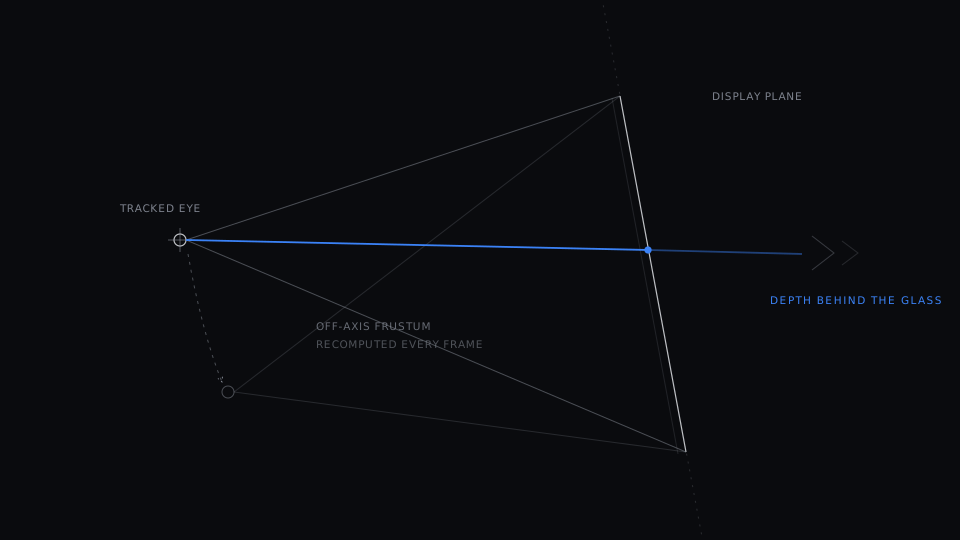
Lets an app drive the runtime's view-rig math instead of re-implementing the off-axis (Kooima) projection from raw eye positions. The app chains a small rig descriptor — virtual display height and ipd/parallax/perspective factors for a display rig, or convergence and vertical FOV for a camera rig — onto xrLocateViews and consumes standard, render-ready XrView{pose, fov}, exactly as on any other OpenXR runtime. A raw-result channel still exposes the untransformed eye and display-plane inputs for aware consumers that keep doing their own math.
XR_DXR_weaveExperimentalWindow Weave Service
A window-bound, synchronous weave service for present-owners — callers that own their OS window and present it themselves, but want the runtime's vendor display processor to weave a sub-rect of that window for them. The caller hands the runtime a pre-weave stereo (side-by-side) texture and a window-relative rect and gets back a weaved shared texture plus a fence to composite and present. The caller never weaves; it is the runtime half of the inline-3D-in-a-browser path.
App window binding
How an app hands its native window to the runtime so the compositor can output into it.
XR_DXR_android_surface_bindingShippingAndroid Surface Binding
Android equivalent of the Win32 and Cocoa window bindings. Binds an Android Surface (SurfaceView) to the session so the runtime composites into the app's surface, and carries the surface lifecycle the out-of-process Android compositor follows across rotation, background, and resume.
XR_DXR_cocoa_window_bindingShippingCocoa Window Binding
macOS equivalent of the Win32 window binding. Binds an NSView to the session for compositor output into the application's window.
XR_DXR_macos_gl_bindingShippingmacOS GL Binding
macOS-specific OpenGL context binding for the Cocoa window-binding path. Lets GL apps share a CAOpenGLLayer-backed surface with the runtime compositor.
XR_DXR_wayland_surface_bindingEarlyWayland Surface Binding
The Wayland sibling of the Xlib binding. An app hands the runtime its own wl_display and wl_surface and keeps ownership of the surface lifecycle — registry, xdg-shell toplevel, configure acks, the event loop — while the runtime builds its Vulkan surface from the pair. Transparency is native here: a Wayland surface composites its premultiplied alpha over whatever is behind it, so a transparent background needs none of the ARGB-visual work X11 requires.
XR_DXR_win32_window_bindingShippingWin32 Window Binding
Allows applications to bind an existing Win32 HWND to the DisplayXR session. The runtime composites into the application's own window rather than creating a separate one.
XR_DXR_xlib_window_bindingBetaXlib Window Binding
Desktop-Linux equivalent of the Win32 and Cocoa window bindings. An app hands the runtime its own X11 window (Display* + Window) so the native Vulkan/XCB compositor renders into the app's window instead of creating its own — enabling windowed (non-fullscreen) rendering and app-owned keyboard and mouse input.
Workspace controller surface
How a swappable workspace controller (the DisplayXR Shell, or any third-party / OEM / vertical equivalent) drives multi-app composition and the launcher on top of the runtime.
XR_DXR_spatial_workspaceShippingSpatial Workspace
Defines how a privileged workspace controller process drives multi-app composition, window pose, hit-test, and capture on the runtime. The contract that lets the DisplayXR Shell — or any OEM, vertical, kiosk, or AI-agent controller — replace the spatial-desktop layer without runtime modifications.
XR_DXR_workspace_file_dialogBetaWorkspace File Dialog
An async, spatial-native file picker. An app calls for a picker and receives the result through the event queue; the picker is a peer workspace window spawned by the active controller, not a layer inside the app's own window. Workspace-scoped, with graceful fallback to the platform file dialog when no controller advertises support.
Agent control
How applications plug into the AI-agent surface — exposing their own actions to agents and voice drivers through the same MCP framework the runtime and workspace controllers use.
Capture
Getting the composed 3D frame back out of the runtime — for screenshots, recording, and dataset generation.
Extension philosophy
- ●Minimal scope — each extension does one thing well. No monolithic specs.
- ●OpenXR-compatible — follows the standard extension registration and dispatch model.
- ●Vendor-independent — designed for any tracked spatial display, not tied to a specific hardware vendor.
- ●Explicitly versioned — specs evolve through clear versioning so apps and runtimes can negotiate capabilities.
All extension specifications and headers are in the displayxr-extensions repository.
Where to next
Build an app
Install the runtime and opt into these extensions from your own OpenXR app — no special hardware required.
Implement an extension
Add or extend an OpenXR extension in the runtime — the contributor guide walks through the wiring end to end.
Integrate a display
Vendors: ship a display-processor plug-in that consumes XR_DXR_display_info and the window bindings.